How Your LytXO eVite & RSVP System Works
Purchase, customize, approve, share, and track responses from beginning to end.
The Complete Process
Each purchase creates one private customization workflow and one order-specific RSVP collection system. Purchase customizable eVites one at a time so every invitation and RSVP list stays separate.
Choose and purchase your eVite
Select the design you want, add one customizable eVite to your cart, and complete checkout. Your order creates private links for that specific event.
Check your first three emails
Your order confirmation arrives first. A second email contains your private customization and approval link. A third email contains two RSVP links: one to share with guests and one private dashboard link for you.
Customize and approve your invitation
Open the private customization link. Enter the event title, host, date, time, location, RSVP wording, and additional message. Choose optional opening and closing Halloween graphics, then select Create watermarked preview. Watch the full preview, check the approval box, and select Approve and create final video.
Your private LytXO customization form. The real link is unique to your order.
Your eVite is built automatically
LytXO applies your approved party details and selected graphics to your invitation. Keep your private customization page open, then use Check final video until your finished eVite is ready.
Receive your finished eVite
When rendering succeeds, select Download your final eVite on your private LytXO page. Save the video within 30 days, then share it with your guests. Return through your purchase link or My Account → Orders → Customize.
Your Email Checklist
Your purchase emails contain the links you need to customize your invitation and collect RSVPs.
Collect and Manage RSVPs
Share only the guest RSVP link
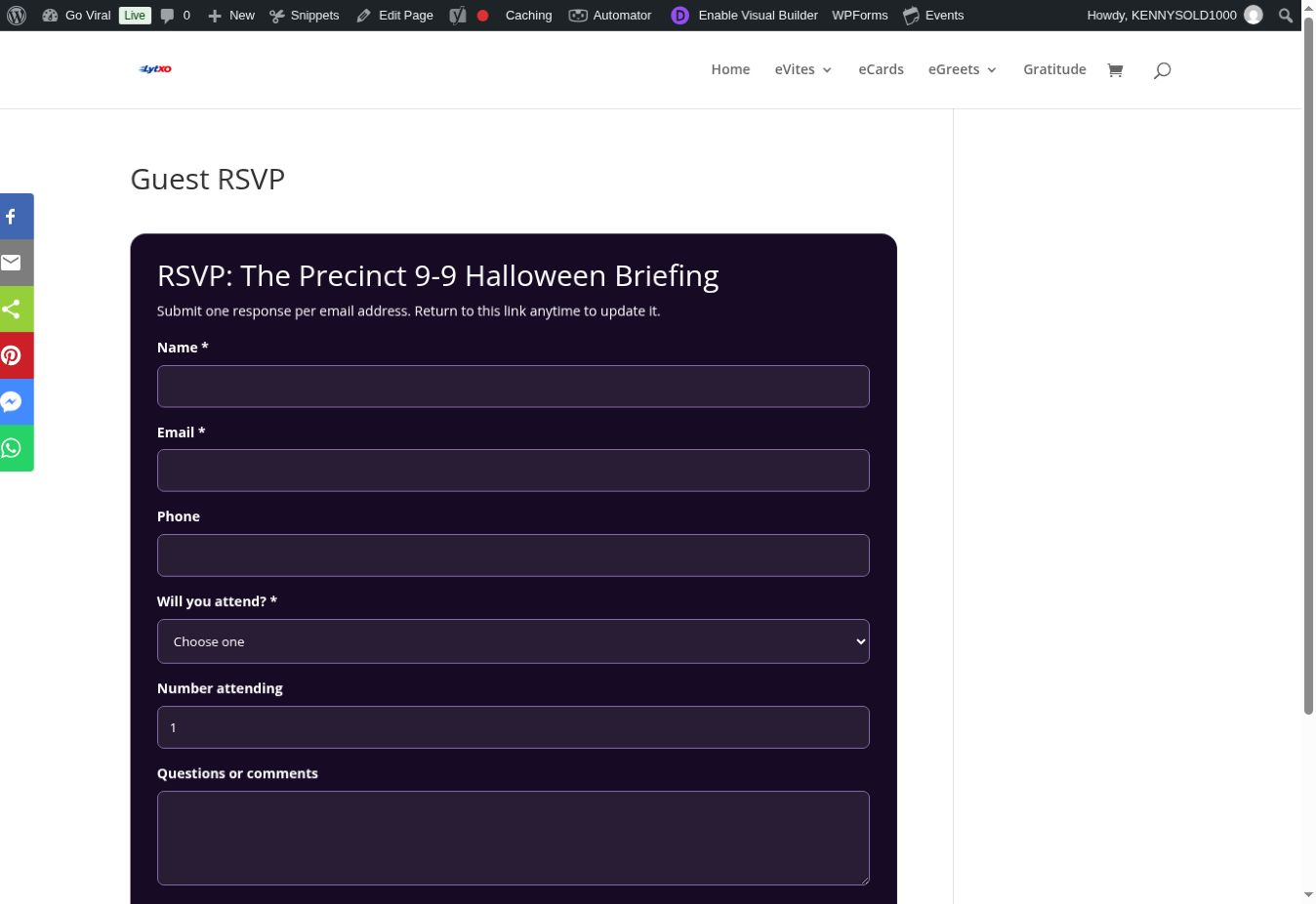
Send the guest link with your eVite. Guests do not need a LytXO account. They can enter their name, email, optional phone number, attendance response, party size, and comments. A guest can return with the same email address to update the response.
Keep the management link private
Your private dashboard shows Yes, Maybe, and No totals, the number of attending guests, contact details, comments, and the latest update time. You also receive an email notification when a new RSVP is submitted.
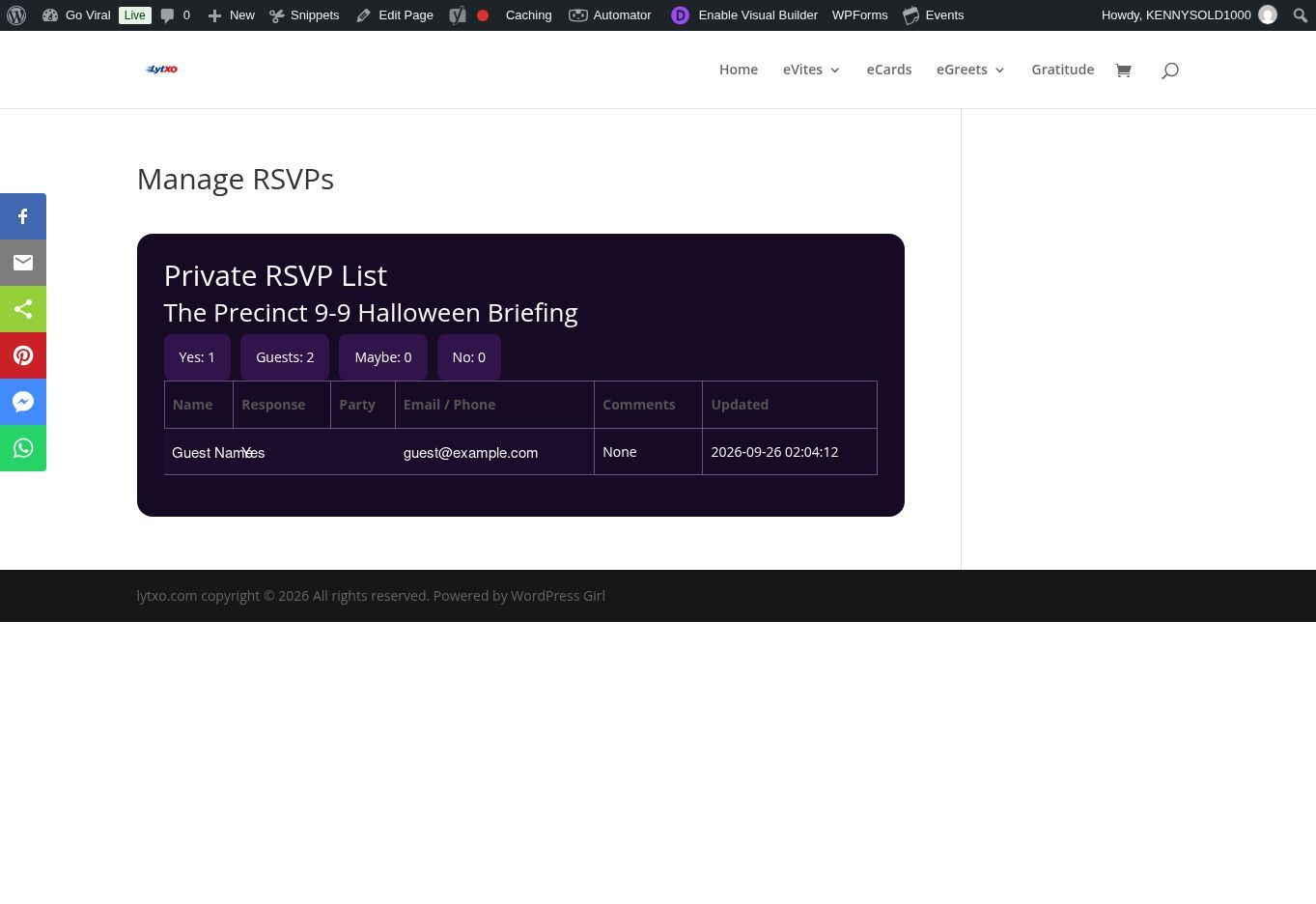
Example dashboard shown with sample guest information.
Questions & Answers
How many emails should I expect?
Look for your order confirmation, private customization link, and RSVP links. First-time account creation may add one more email. Your finished video is downloaded from your private customization page.
Do my guests need a LytXO account?
No. Guests use the shareable RSVP link directly. They do not need to create an account.
Which link can I share?
Share the guest RSVP link. Never share the private customization link or private RSVP-management link.
Can a guest change an RSVP?
Yes. The guest can reopen the same RSVP link and submit an updated response using the same email address.
Can I change the eVite after approving it?
Review all details before selecting Approve and create final video. If you discover a problem after rendering, contact LytXO support; a new render may be required.
Can I purchase two customizable eVites together?
Purchase them separately. One customizable eVite per order keeps each invitation, private link, finished video, and RSVP list isolated.
What if an email does not arrive?
Check Spam, Junk, and Promotions folders. Confirm the billing email used at checkout, then contact support if the message is still missing.
Who can see RSVP information?
The event purchaser can view responses through the private management link. Guests are told that their response is shared with the event host.
Still have a question?
Contact LytXO support and include your order number so we can help faster.